Seeing a model in the catalogue and being able to call it are two different things. The catalogue is discovery; an assignment is access. A project calls nothing until an Owner or Administrator assigns an exact published version to it.
That separation is deliberate: it is what makes spend attributable and access explicit rather than inherited.
Before you start#
- A project — see Create an organization, team and project.
- The Owner or Administrator role. Assigning is not something a project member can do for themselves.
- In a personal workspace there is no assignment step at all: the managed project is bound to every callable product it can see. This guide is for real organizations.
1. Find the model#
Open Catalogue under the API group. Search, the modality tabs and the facets narrow the list. Each entry is a published, immutable version with frozen pricing — either a flat price per request, or separate input and output rates per million tokens.
A model's N projects badge shows how many projects already have it.
2. Assign the exact version#
Two routes, same result:
- From the model's detail page, click Assign to a project and confirm Accept rate and assign.
- From the project's Products tab, click Assign product.
Either way you are accepting that version at that price, for that project, once and explicitly.
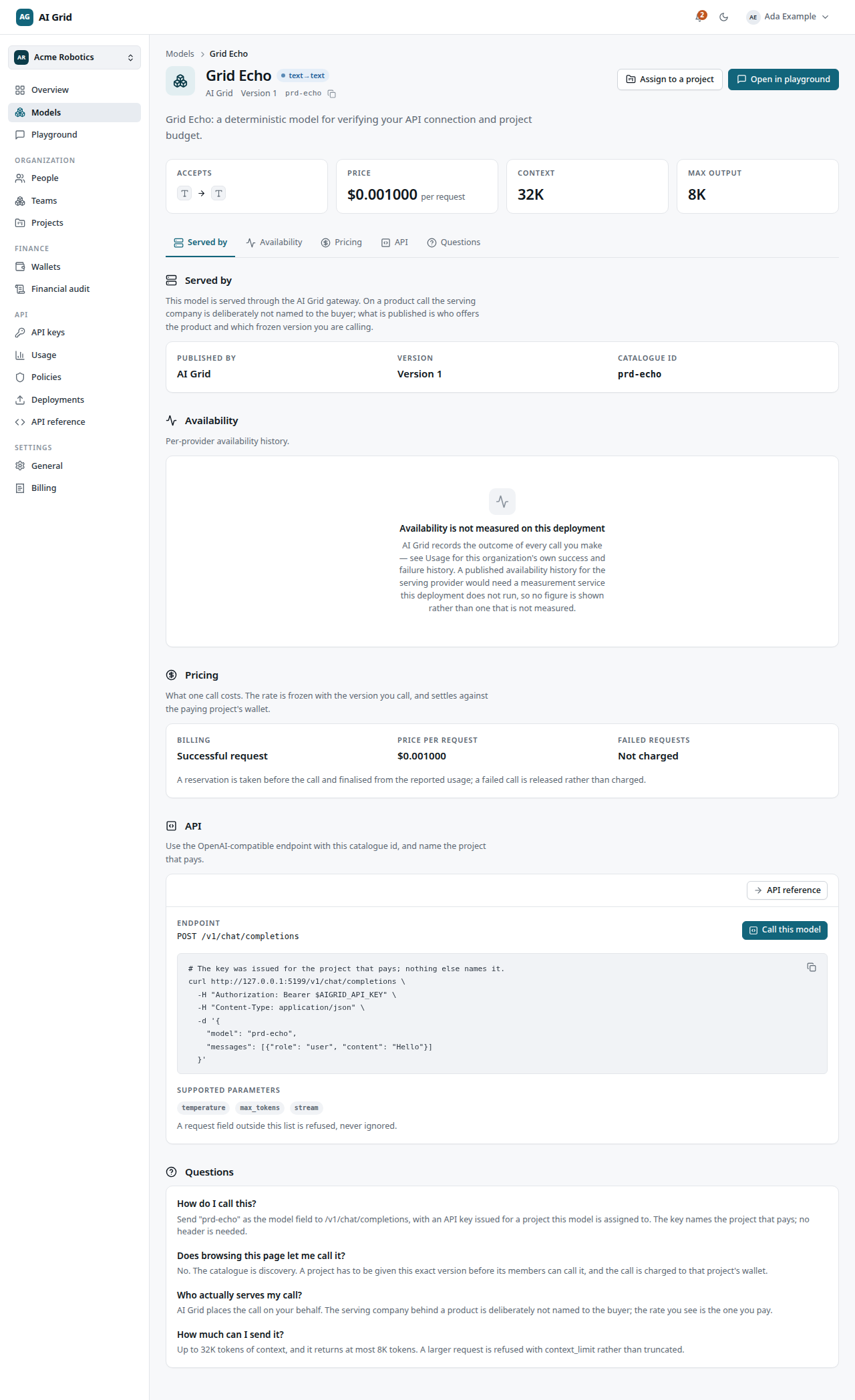
3. Confirm it is callable#
The project's Products tab shows the product with Version vN, Price and a Status of Callable.
With a project-bound key, GET /v1/models now lists it — that endpoint returns exactly
what the key may call, so it is the honest test:
/v1/modelsA quick round in the playground with the project selected works too.
Check it worked#
GET /v1/models lists the model, and a call to it succeeds rather than answering
403 product_not_assigned.
If it did not#
| What you see | What it means |
|---|---|
403 product_not_assigned |
The model is published and eligible, but not assigned to this key's project |
404 model_not_found |
A guessed id, another project's model, or an assignment that was removed |
403 key_scope |
The model is assigned, but this key's own Allowed resources list excludes it |
403 denied |
You hold no consumption right on the project — assignment and access are separate |
| No Assign product button | You are not an Owner or Administrator |
Unassigning takes effect immediately: the next call is refused. Reservations already held for calls in flight still settle as recorded, so nothing is stranded.
Next#
- Try models in the playground — confirm it in one click
- Invite your team — let colleagues call it too
- Browsing the model catalogue — reading a model's detail page in full