Open the catalogue#
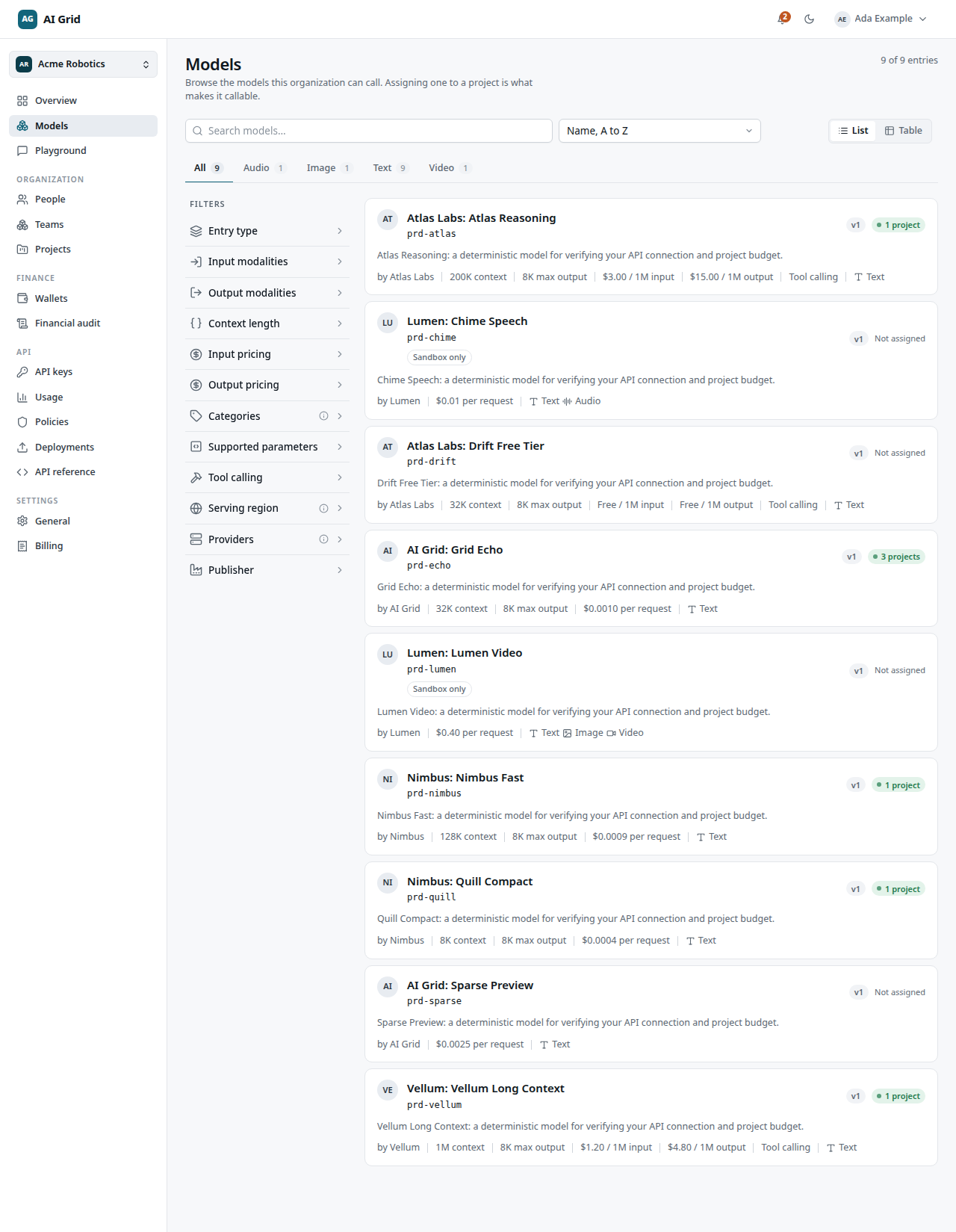
Open Models in the left rail (top group, next to Overview and Playground). The catalogue is browse-only: every member of the organization can search and read it, no administration role needed.
- Use Search to filter by name.
- Sort by Name, Lowest input price, Highest input price or Largest context.
- Switch between list and table with the view toggle.
- The modality tabs narrow the list by input/output modality.
- The facet rail on the right filters by Entry type, Input/Output modalities, Context length, Input/Output pricing, Supported parameters, Tool calling and Publisher.
- Each row can show an N projects badge telling you how many of your projects already have that model assigned.
Read a model's detail page#
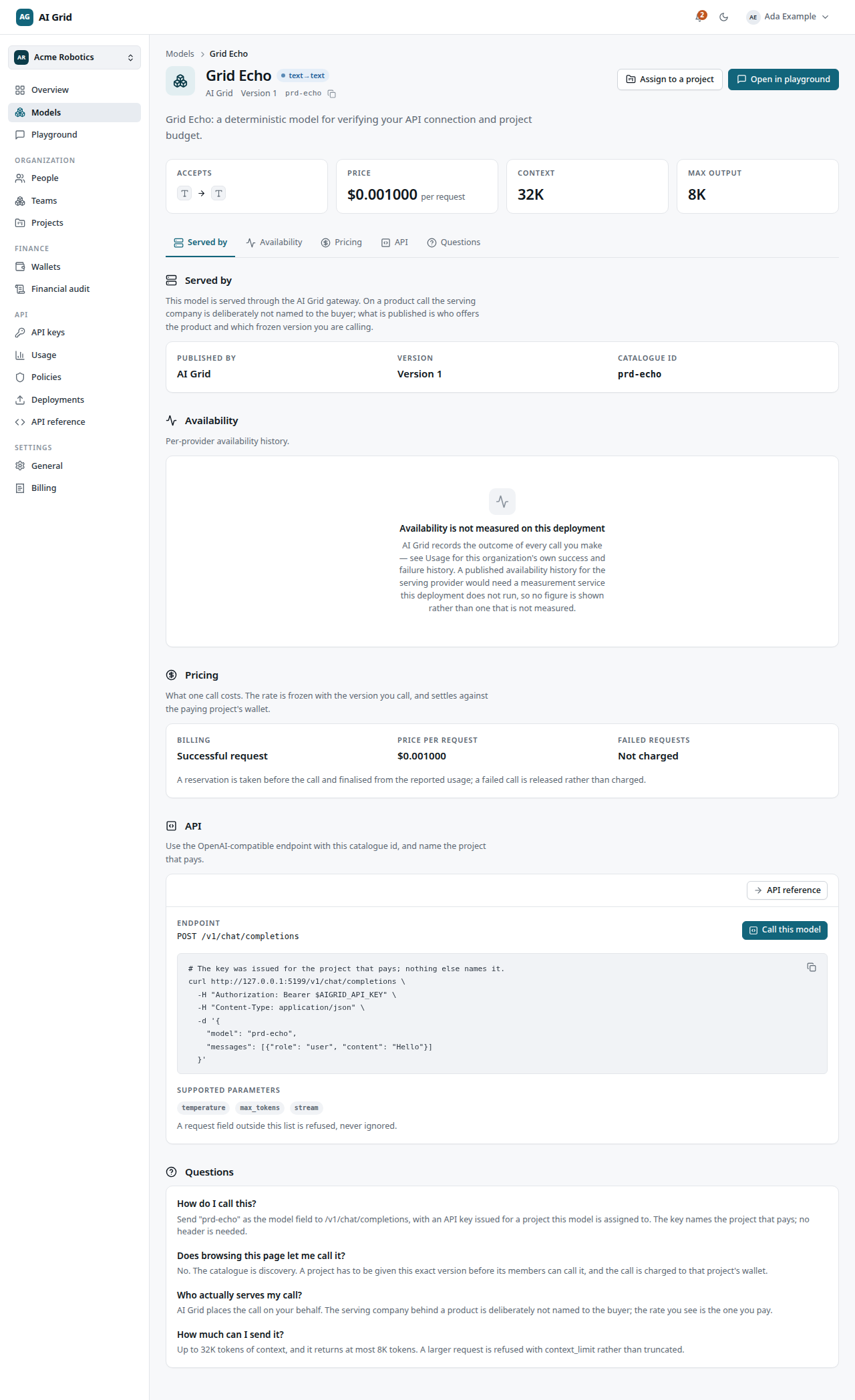
Click a model to open its record. You get:
- A fact strip: Accepts, Price, Context, Max output.
- Served by — the provider snapshot behind the published version.
- Pricing — per-request or per-token, exactly as frozen at publication.
- API — a curl sample plus a Call this model drawer with cURL / Python / TypeScript / fetch tabs, pre-filled with real identifiers.
- Questions — a short FAQ.
- Open in playground — jumps straight to the playground with this model selected.
Products support different interfaces. Use the endpoint shown for the selected product: chat, embeddings, rerank, image generation, speech, transcription or video. A non-chat product cannot be called through chat completions. Published capabilities and provider configuration determine which operations are available. Products can also be used in compatible sandbox flows.
A superseded model stays in the catalogue marked deprecated: existing projects keep calling it, but it cannot be assigned to new ones.
Assign a model to a project#
Assignment is how a model becomes callable. Click Assign to a project, pick the project and confirm with Accept rate and assign. This freezes the exact published version and its price for that project — later price changes do not move an existing assignment.
As the console puts it:
Browsing the catalogue is discovery. Assigning this exact version lets the project's members call it, at the published rate, from its wallet.
Unassigning happens on the project's Products tab; new calls are refused immediately, while reservations already held settle as recorded. In a personal workspace there is no assignment step — everything published is callable from the managed project.