The playground is the shortest path from "we have a project" to "we have seen what these models actually say". It runs on your signed-in session, so there is no API key to create and nothing to install — but the calls are real, and they charge the project you pick.
Before you start#
- A project you can spend in: you need Project Owner or Project Consumer on it. If you have neither, the model list stays empty. See Invite your team.
- At least one product assigned to that project — see Give a project a model.
- Funds in the project wallet. An unfunded project is refused at
402 insufficient_budget; Quickstart covers the top-up.
1. Open it and choose who pays#
Open Playground from the API group in the left rail.
Pick the Project that pays first. Until you do, the composer reads Select a Project first and sending is blocked. The selector lists every project you hold a consumption right on — in a personal workspace that is your one managed project.
This choice is not cosmetic. It decides which wallet is reserved against, which policies apply, and where the call appears in usage afterwards.
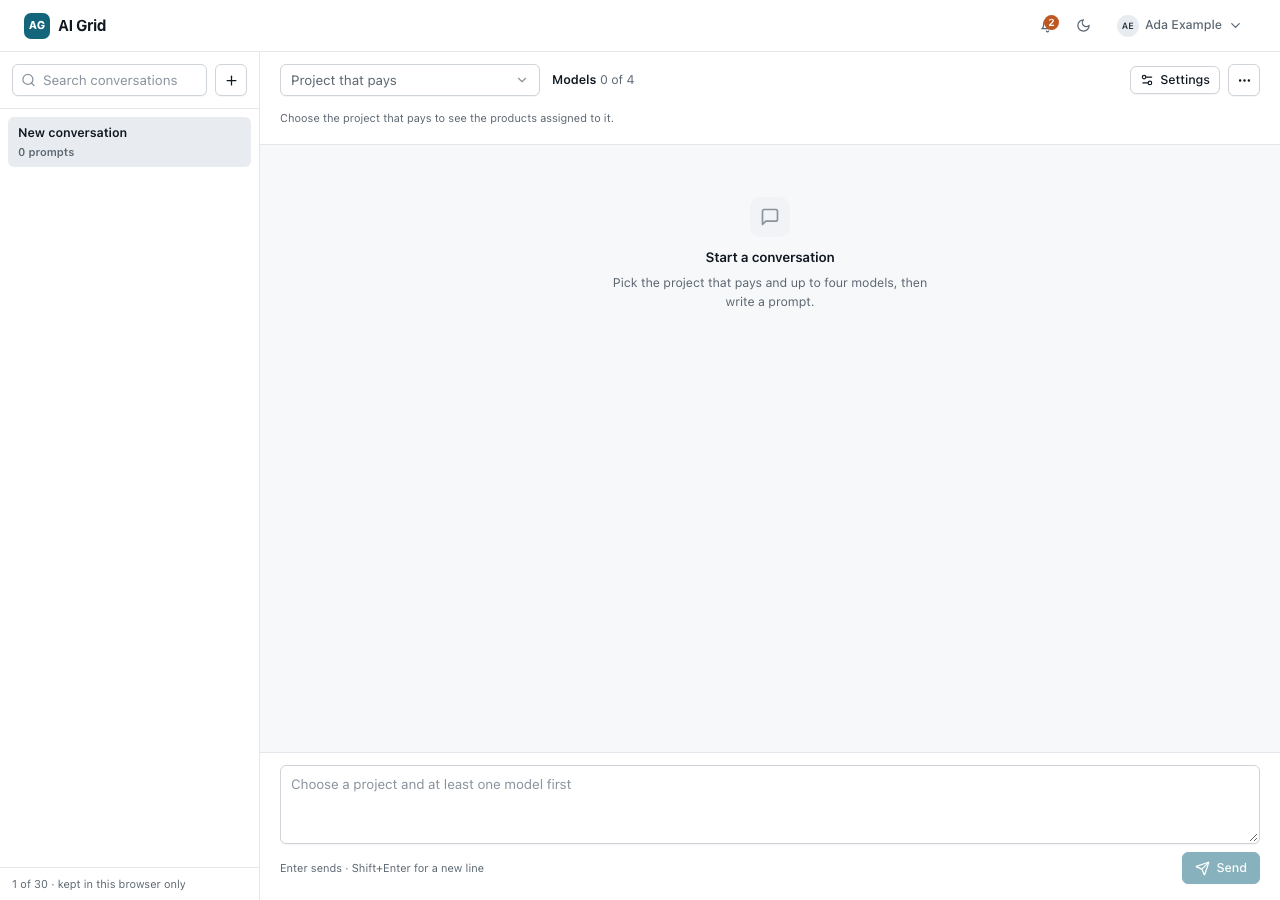
2. Add the models that answer#
Click Add model (or press ⌘J / Ctrl+J). The picker lists only what this project can actually call, grouped as Chat models, Media models and Sandbox products, with a search box and a count of what is available. A row's tooltip shows what one answer is expected to cost. Arrow keys walk the rows.
Each model you choose joins the picker as a removable chip.
- Up to four chat models can be compared at once. At the cap the picker says so and asks you to remove one first.
- A media model or a sandbox product takes the composer alone, so choosing one replaces the current selection rather than adding to it.
3. Ask, and read the replies#
Write your prompt in the Write a prompt composer and click Send, or Send to N models when several are chosen. Your prompt goes to each model as its own request, with its own reservation and its own charge — this is N calls, not one.
Replies stream in as they are produced. Each carries its charge, token counts and latency, and each model sees only its own prior replies, so the four conversations stay independent. A failure in one reply leaves the others untouched, and a prompt that failed outright is not kept in the thread.
Per reply you get Copy, Regenerate, Retry delivery and Delete. The middle two are not the same thing, and the difference is money:
- Regenerate asks for a fresh answer — a new call, a new reservation, a new charge.
- Retry delivery replays the same request under its idempotency key, and does not charge again when the original answer can be replayed.
Check it worked#
Open Usage and call records. Every reply you just saw is a row of its own, against the project you selected, with its reserved and charged amounts. That is the same path an API call takes — the playground is not a simulator.
If it did not#
| What you see | What it means |
|---|---|
| The model list is empty | No product is assigned to this project, or you hold no consumption right on it |
402 insufficient_budget |
The project wallet cannot cover the reservation — top up |
403 product_not_assigned |
The model is published but not assigned to this project |
| A reply sits on Holding budget | The outcome was uncertain; the reservation is reconciled from provider evidence and settles on verified usage |
The full table is in Troubleshooting.
Next#
- Give a project a model — if the picker was empty
- Build and call a sandbox product — when one model is not enough
- Playground — conversation settings, history and the rest of the surface