A sandbox product is a private executable flow owned by one project: a named input/output contract plus a graph of typed nodes, built in the console without writing code. It never enters a catalogue and publishes nothing — but it is callable, and every product node inside it charges the project wallet exactly like a direct call.
Before you start#
- A project with products already assigned — a graph can only call what the project can call. See Give a project a model.
- A consumption right on that project (Project Owner or Project Consumer). Owning-team membership or organization administration alone does not reach a sandbox.
- A funded wallet: running a flow costs the sum of its child calls.
1. Create the product#
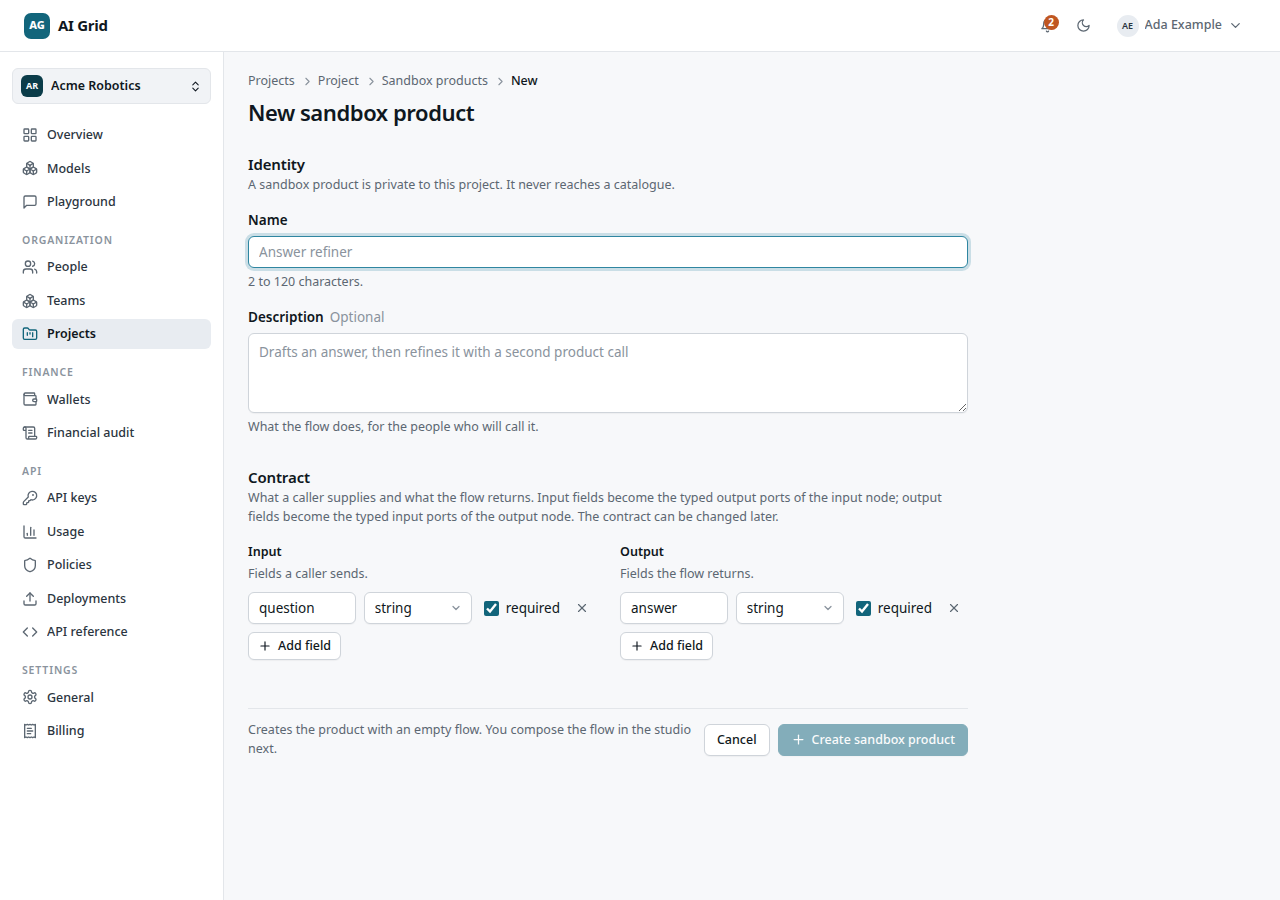
Open the project's Sandbox tab and click New sandbox product:
- Identity — Name and Description.
- Contract — the Input and Output schema editors. Fields are typed: string, select, number, boolean, object, image, audio, video, with a required list.
A select field lists the exact values a caller may choose. Type them, or click Pick from options to copy a model's published voices, aspect ratios, resolutions, sizes or durations. The voice, aspect ratio, resolution and duration types already know where their options come from — Populate from a model lists only the models that publish that option set and fills the list in one click.
2. Compose it in the studio#
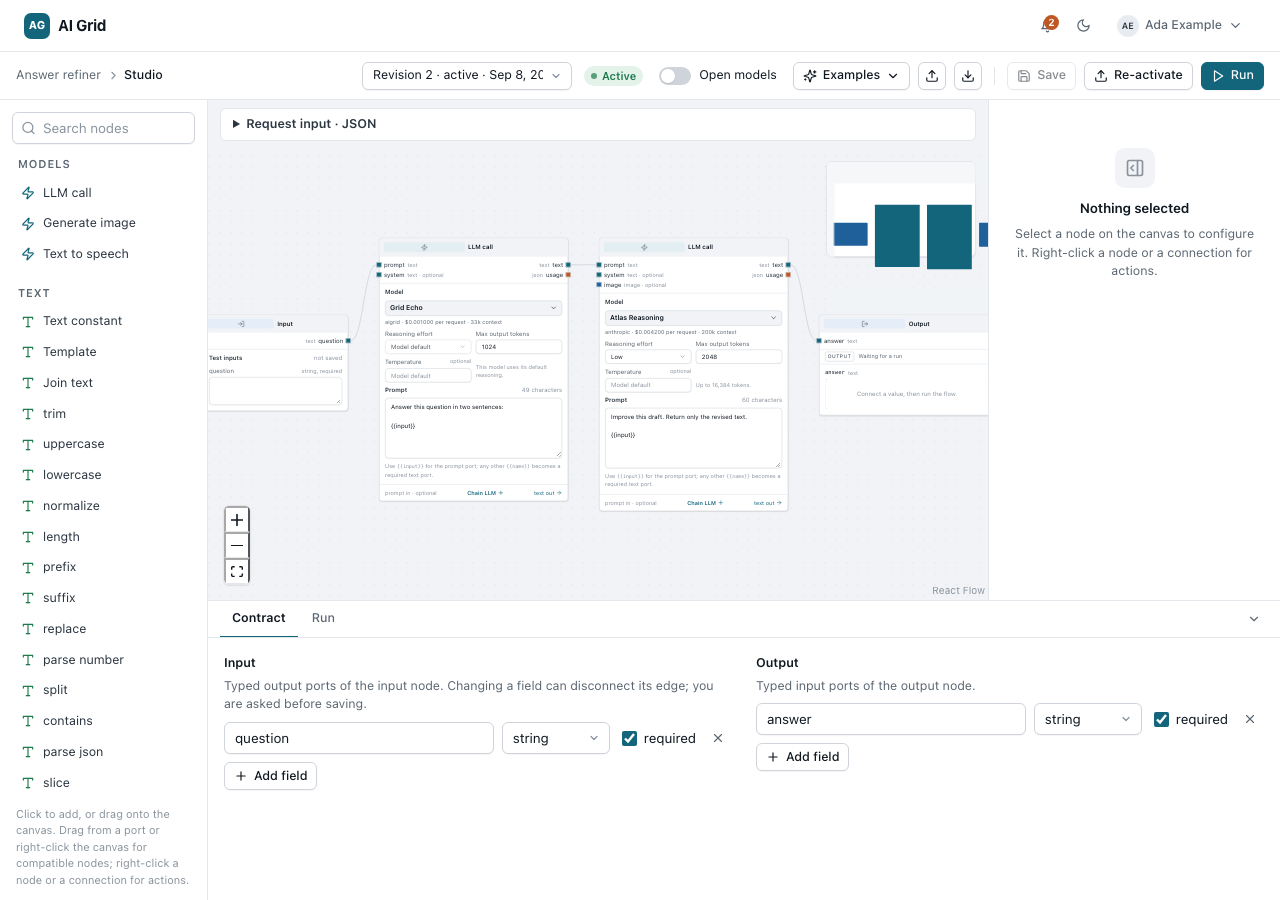
Open Studio. Drag nodes from the searchable palette — input, output, product, text template, branch, expression, media — and wire them in the inspector.
A chat node's Max output tokens is optional: left empty it asks for that model's own maximum, trimmed to the room left beside the prompt. Set a number only to cap it deliberately.
The graph is validated server-side, not by the canvas: typed port compatibility, required inputs connected, acyclic wiring, reachability from input to output, and every product dependency actively assigned to this project. The bounds are 50 nodes, 200 edges, 8 paid product calls, and a 5-minute execution limit.
3. Save a revision, then activate it#
Save revision (or Ctrl/Cmd+S) stores an immutable snapshot. A saved revision is never mutated — further edits save as a new one, so an edit cannot change a run already under way.
Activate (or Re-activate) and confirm Save and activate? makes a revision the one that runs. The confirmation warns you that the product becomes callable from outside: any project API key can then invoke it over HTTP, MCP clients can reach it if that interface is on, and every call charges this project's wallet.
Activation re-validates the whole graph. A failed activation changes nothing — the previous active revision stays live.
4. Run it, then call it#
From the console, use the studio's Run tab: it takes the contract inputs and shows the outcome, the per-node results, and the child charges incurred.
From code, use a project-bound API key:
/v1/sandbox/{id}/invoke/v1/sandbox/{id}/mcpThree things differ from a chat call:
Idempotency-Keyis required here (8–128 characters), not optional. Repeating a key replays the same run and its charges once.- Only the active revision runs. Naming another answers
409 revision_not_active; omitrevisionto use the active one. - A failed execution is still returned, with the charges already incurred.
If the deployed contract is one text in and one text out, the product is also callable
through POST /v1/chat/completions like any model. Richer contracts stay on the invoke
endpoint. A plain bearer call whose single output is an image gets the image itself.
Check it worked#
The Runs tab lists the run with its per-node results, and each paid node appears as
its own row in Usage and call records. The execution's chargedMicro is
exactly the sum of its children — there is no separate parent fee.
If it did not#
| What you see | What it means |
|---|---|
409 revision_not_active |
You named a revision that is not the deployed one |
409 revision_conflict |
Someone saved over your base revision — reload and save again |
422 input_type |
A select field got a value outside its option list |
422 sandbox_contract |
A non-chat contract called through chat/completions — use the invoke endpoint |
404 on a product you can see |
Another project owns it; a sandbox is reachable only through its own project |
| Activation refused | The graph failed re-validation, or a product dependency is no longer assigned |
| Why it stopped on a run | Open it — the issue list names the node and the reason |
Next#
- Sandbox products — the record, its tabs and the studio in full
- Sandbox products (API) — contracts, revisions, NDJSON progress and MCP
- Usage and call records — where each child charge lands