What a sandbox product is#
A sandbox product is a private executable flow owned by one project: a named input/output contract plus saved nodes that call products already assigned to that project. The console is explicit about its boundary:
A sandbox product is private to this project. It never reaches a catalogue.
It has no publication lifecycle, never appears in the catalogue or GET /v1/models,
and creating or running one publishes nothing. Running it still costs money: every
product node inside a run charges the project wallet like a direct call, so a run's
charge is the sum of its child charges.
Open Organization → Sandbox (or Workspace → Sandbox in a personal workspace) to browse the sandboxes you can use, grouped by team and project. Use Open, Studio or Runs on a sandbox row. You can also open Projects → your project → Sandbox tab. You need a consumption right on the project (Project Owner or Project Consumer); owning-team membership or organization administration alone does not reach the sandbox.
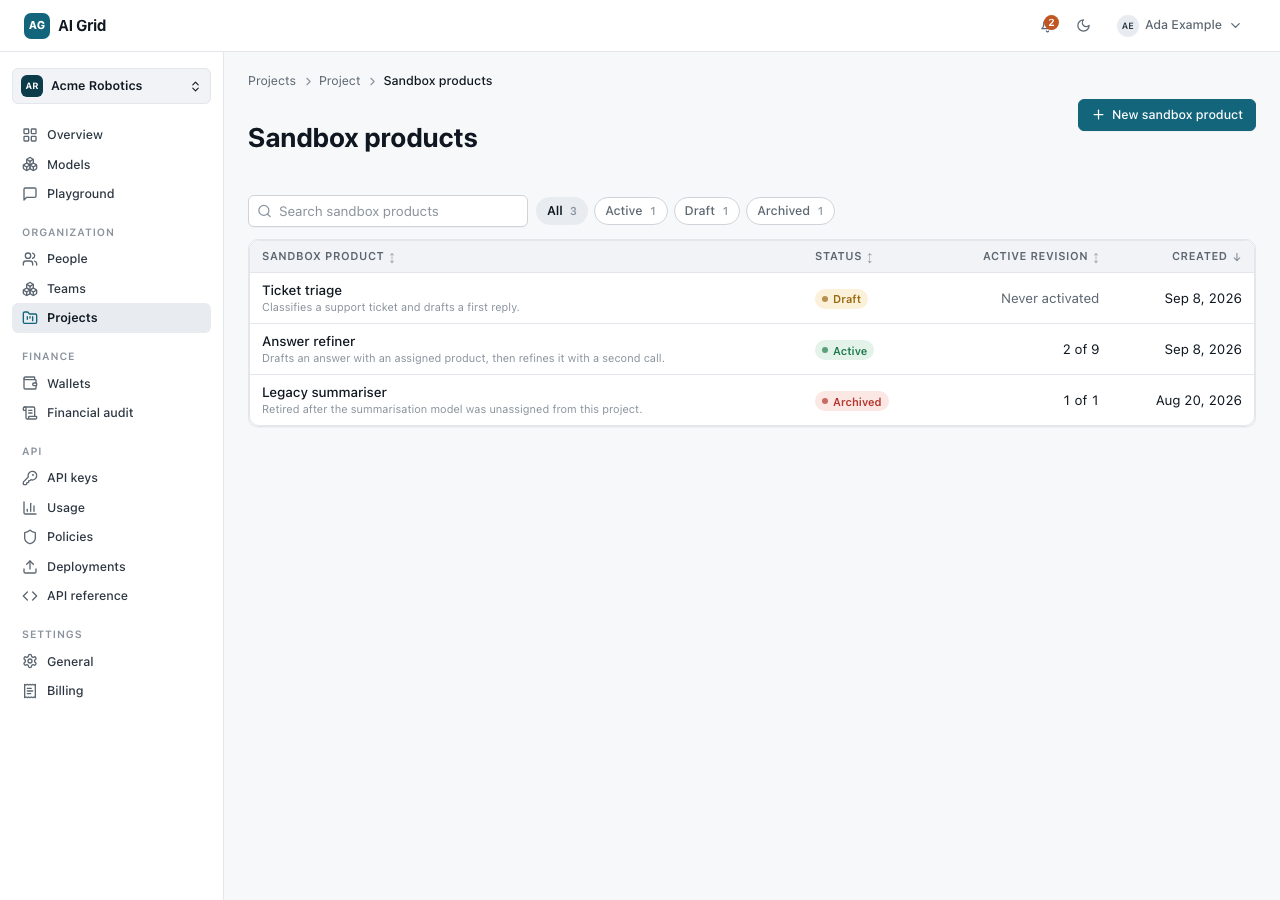
Create a sandbox product#
Click New sandbox product:
- Identity — Name and Description.
- Contract — Input and Output schema editors (typed fields: string, select, number, boolean, object, image, audio, video, with a required list). A select field lists the exact values a caller may choose; type them, or click Pick from options to copy a model's published voices, aspect ratios, resolutions, sizes or durations, or the listed model ids. In the studio a select field can be wired straight into a media node's matching port (for example voice on Generate audio), which then takes the caller's choice and treats the node's own setting as the default. The voice, aspect ratio, resolution and duration types are selects that already know where their options come from: Populate from a model lists only the models that publish that option set (speech models for a voice, image and video models for an aspect ratio or resolution, video models for a duration) and one click fills the list. In the playground these fields show a matching icon, and an aspect ratio opens a chooser that previews the shape of the option under the pointer.
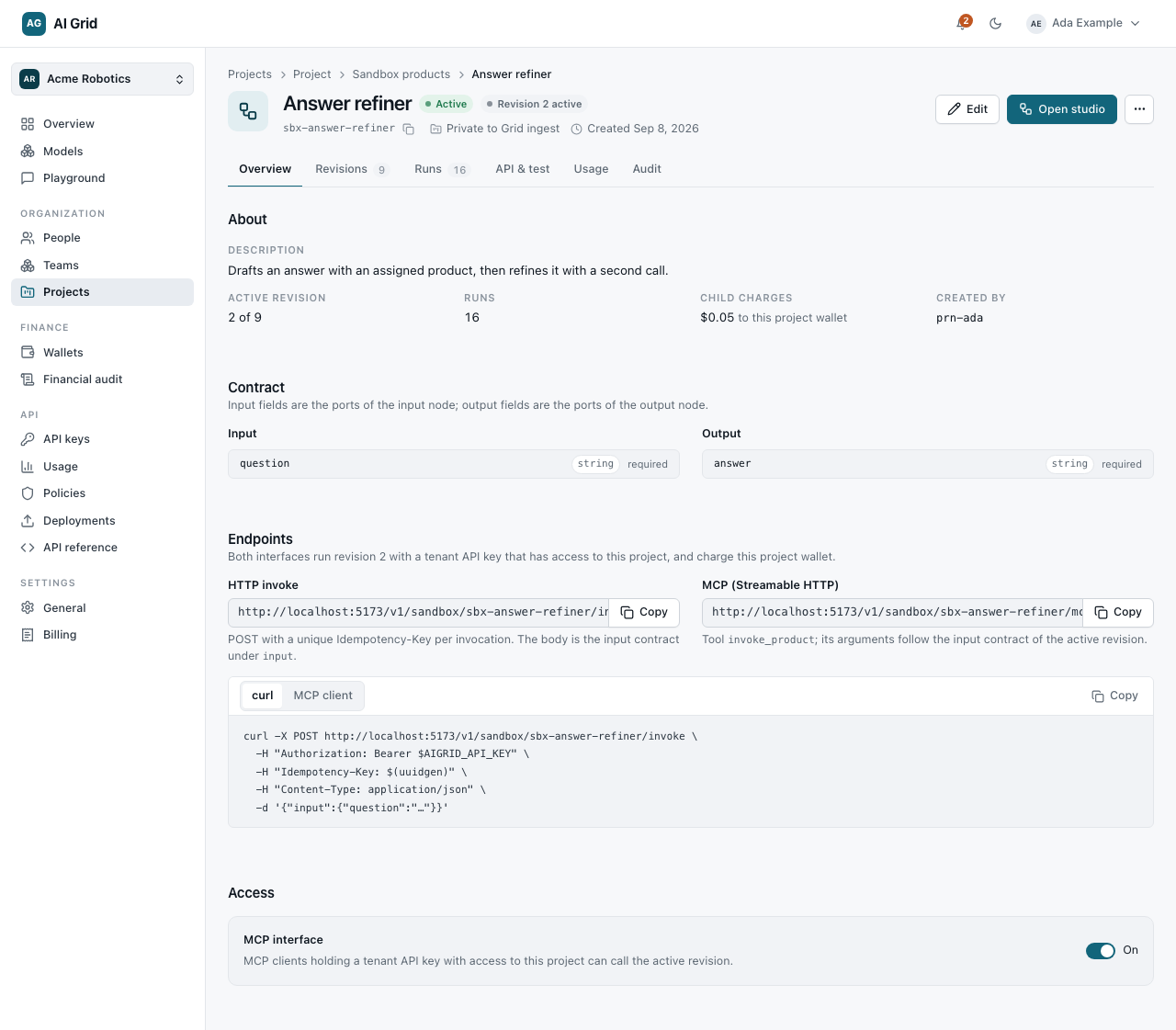
Click Create sandbox product. The record opens with tabs Overview / Revisions / Runs and sections About, Contract, Endpoints and Access.
- Endpoints gives a copyable Invoke URL (
/v1/sandbox/{id}/invoke) and an MCP URL (…/mcp). MCP access is off by default — enable it on the Access section before using the MCP endpoint. - Revisions lists saved revisions; you can activate a saved revision from here.
- Runs lists past runs with per-node results and a Why it stopped issues list when a run fails.
Build in the studio#
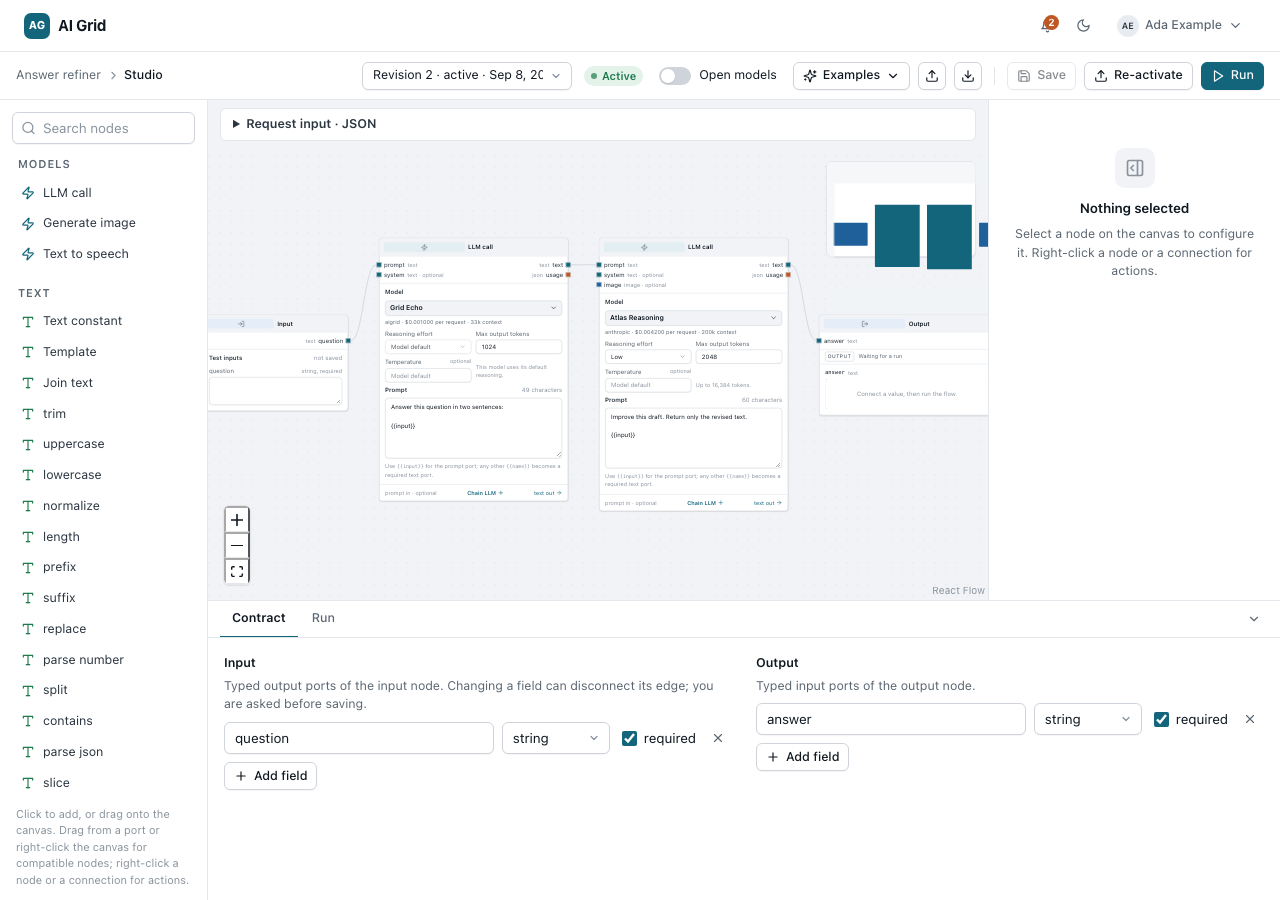
Open Studio from the sandbox product. The studio is a full-screen canvas:
- Drag nodes from the searchable palette — input, output, product, text template, branch, expression, media and more — and wire them in the inspector.
- A chat node's Max output tokens is optional: left empty it shows Model maximum (N) and asks for that model's own maximum, trimmed to the room left beside the prompt. Set a number only to cap it deliberately — a value you set survives swapping the model, narrowed if the new one cannot serve it.
- The bottom panel has Contract and Run tabs. Run takes the contract inputs and shows the outcome, per-node results and the child charges incurred.
- Press Save revision (or Ctrl/Cmd+S) to save an immutable revision — a saved revision is never mutated; further edits save as a new revision.
- Click Activate (or Re-activate) and confirm Save and activate? to make a revision the one that runs. The confirmation warns that this sandbox product becomes callable from outside: once a revision is active, any project API key can invoke it over HTTP, MCP clients can reach it if the MCP interface is on, and every call charges this project's wallet. Activation validates the graph again; a failed activation leaves the previous active revision in place.
Only the actively deployed revision answers endpoint calls; asking for any other
revision answers 409 revision_not_active.
Call it#
From the console, use the Run tab. From code, use a project-bound API key (see API keys):
/v1/sandbox/{id}/invoke/v1/sandbox/{id}/mcpThe key's own project must own the sandbox product, and the deployed revision's
contract decides the interface: one text in, one text out makes it callable through
POST /v1/chat/completions like any model; richer contracts stay on the invoke
endpoint.