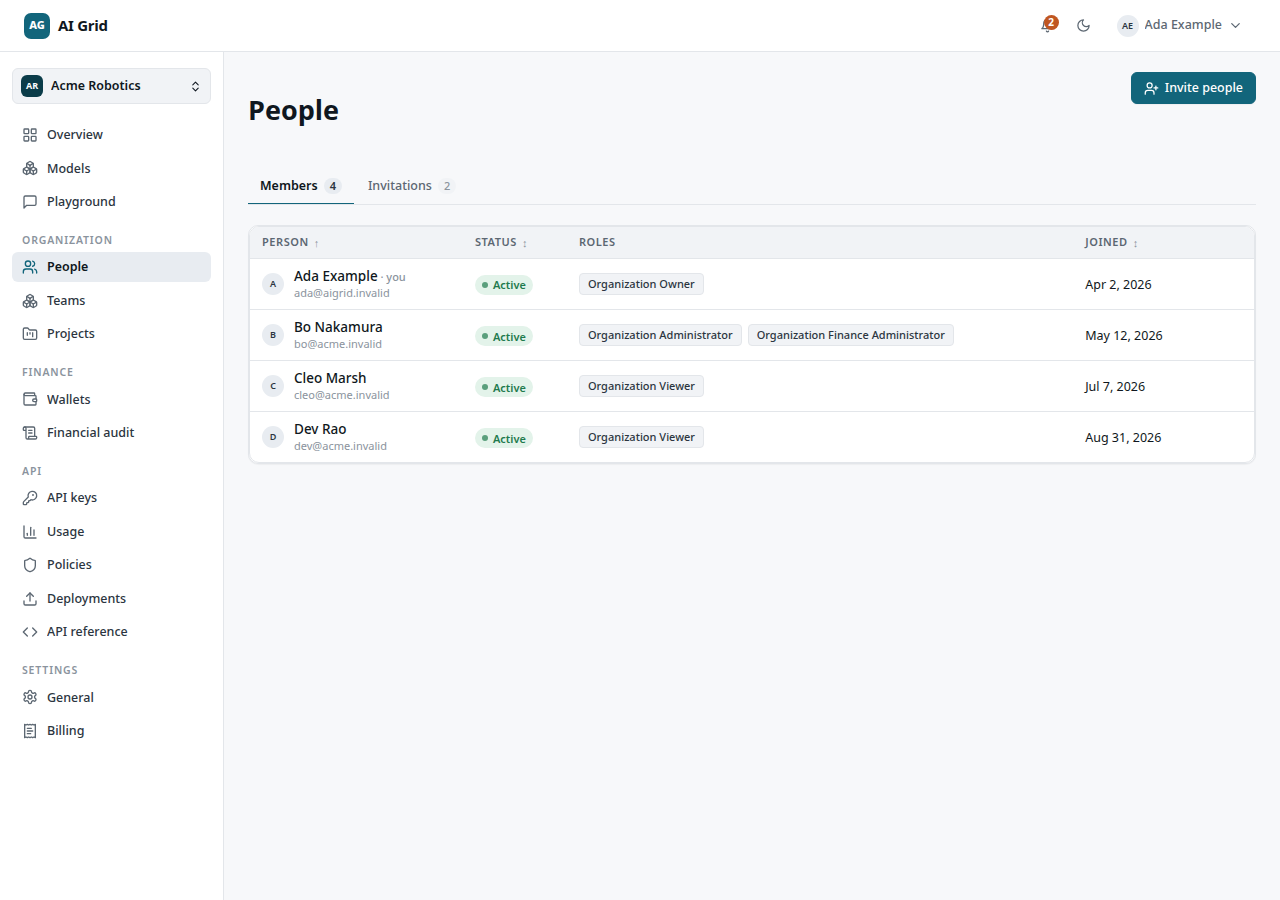
Open Organization → People. Reading the page needs at least a Viewer role; every mutating control needs Owner or Administrator. Two tabs: Members and Invitations (with a pending count).
Invite people#
Open Organization → People → Invite people (header action, visible to Owners and Administrators). The drawer is a list of rows, each an email address plus a role, then Send invitations.
Results appear per email as Sent or Not sent, each with a copyable invitation link. Use Invite more people to add rows, or Done to close.
Respond to an invitation#
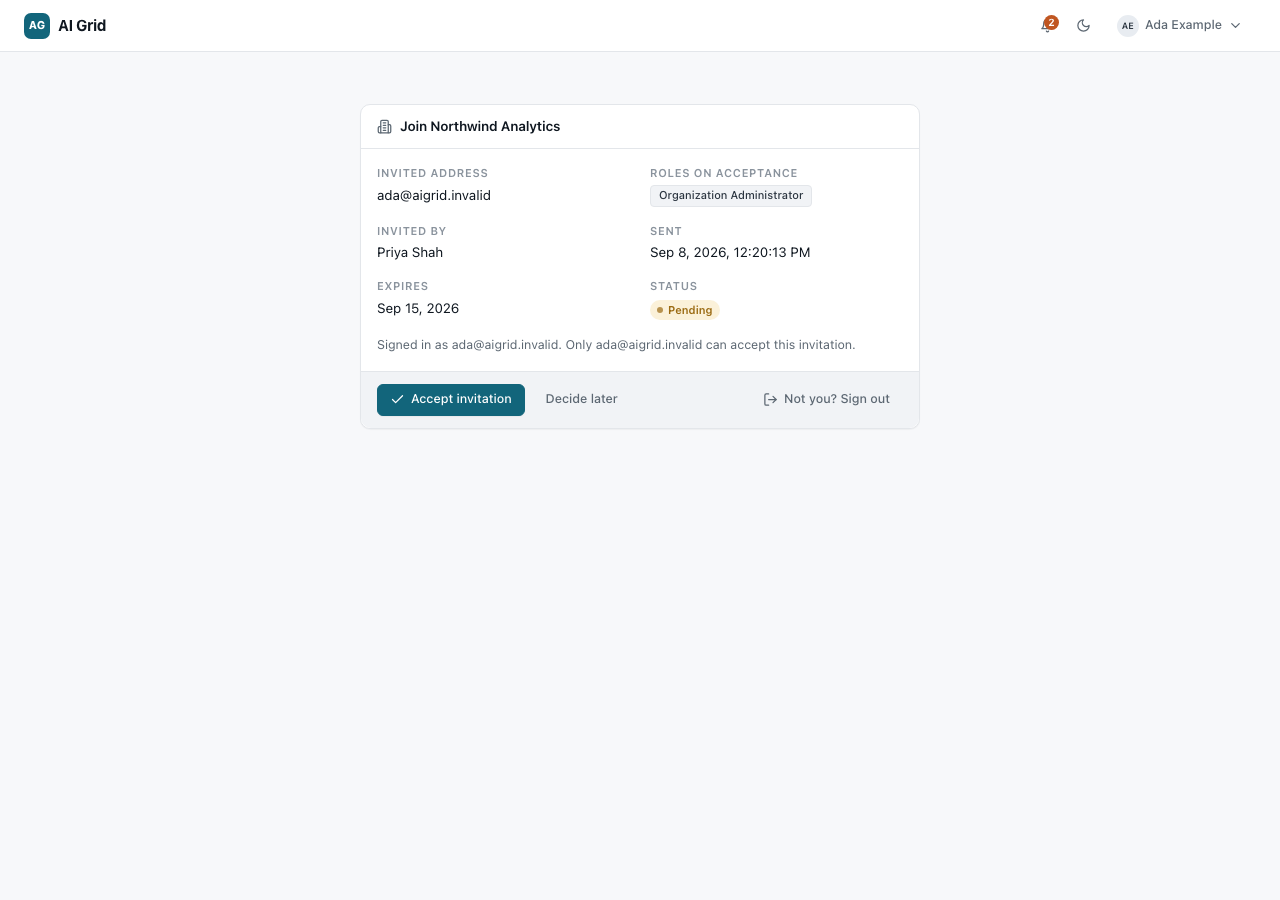
The recipient opens the link while signed in and lands on a page with Accept invitation, Decide later and Not you? Sign out. Accepting lands on the organization's Overview with a Welcome aboard banner.
You can also manage invitations from your own account: My organizations → My invitations lists every invitation with Accept / Decline per pending row, and a record page shows its facts. Organization administrators see a read-only preview banner there.
Manage members#
On the Members tab, the table shows Person, Status, Roles and Joined. Row menu:
- Open — the member record (below).
- Revoke membership — removes the person (not available on your own row); an optional reason is recorded.
A member's record#
Open Organization → People → a member's row → Open. Three tabs:
- Overview — the member's facts. Administrators of active members see Edit roles: a checkbox list of roles plus an optional reason, saved with Save roles. The record menu also holds Revoke membership — blocked for yourself and for the last remaining Owner.
- Grants — every role, scope, status and source the member holds across the organization.
- History — membership changes and account provenance.
Manage invitations#
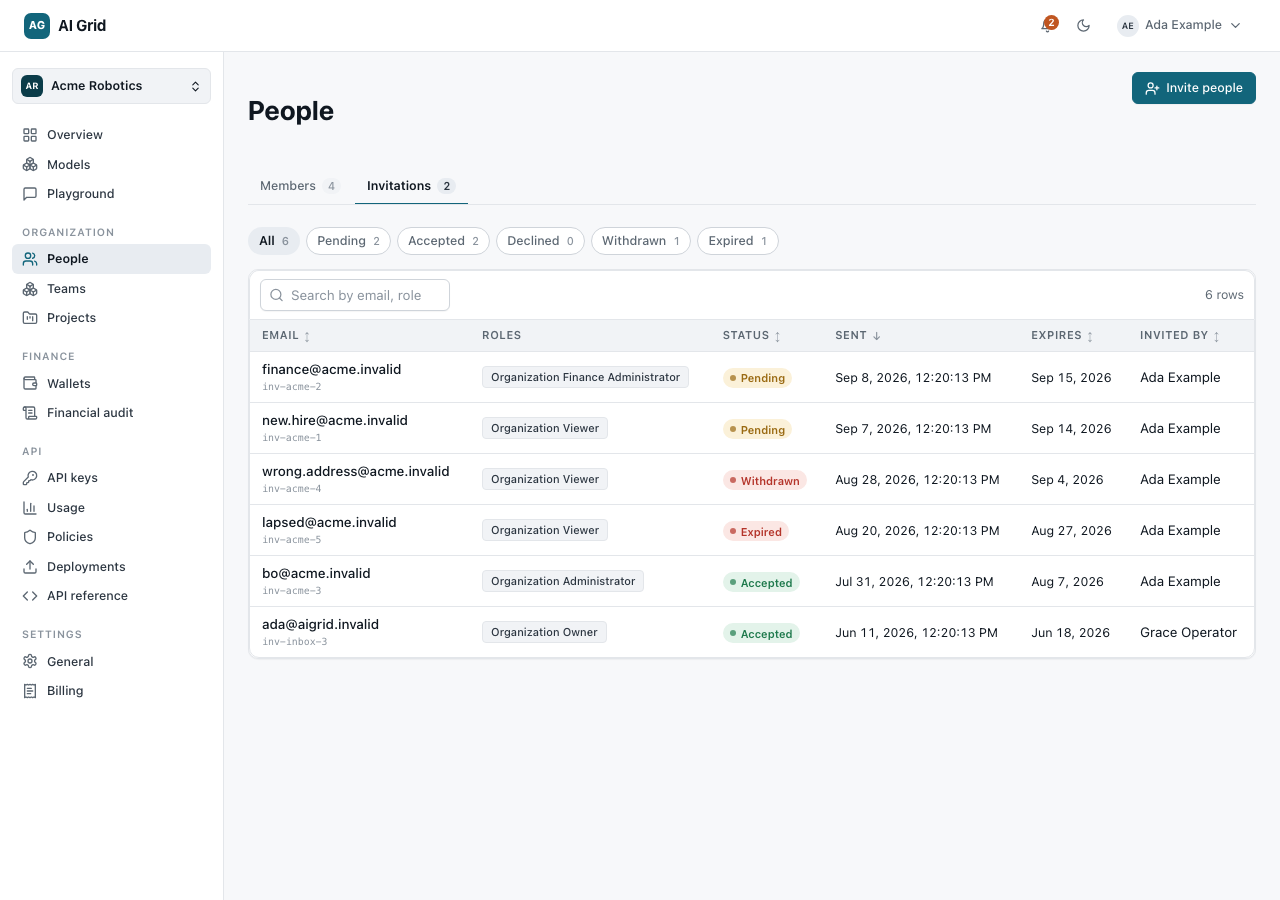
On the Invitations tab, filter by state chip — All, Pending, Accepted, Declined, Expired, Withdrawn. Open a row to see the invitation's facts and its copyable Invitation link. Pending invitations can be withdrawn with Withdraw; the link stops working immediately.