What a deployment is#
A deployment is your organization's private, named copy of a published grid product. It keeps the approved provider, model and rate snapshot — you cannot supply your own upstream URL, provider key or code — and it becomes callable for your projects only after its review gates are approved.
Open Deployments under the API group in the left rail.
Propose a deployment#
Click Propose deployment and fill the drawer:
- Source product — the published product you are deploying from.
- Deployment name — the name your members see in the catalogue.
- Readiness evidence — a short statement (at least 10 characters) backing the submission.
Click Submit for review. The deployment enters the review queue.
Track a deployment#
The table shows Deployment, Source product, Gates, Submitted and Status, with filters All / In review / Published / Rejected.
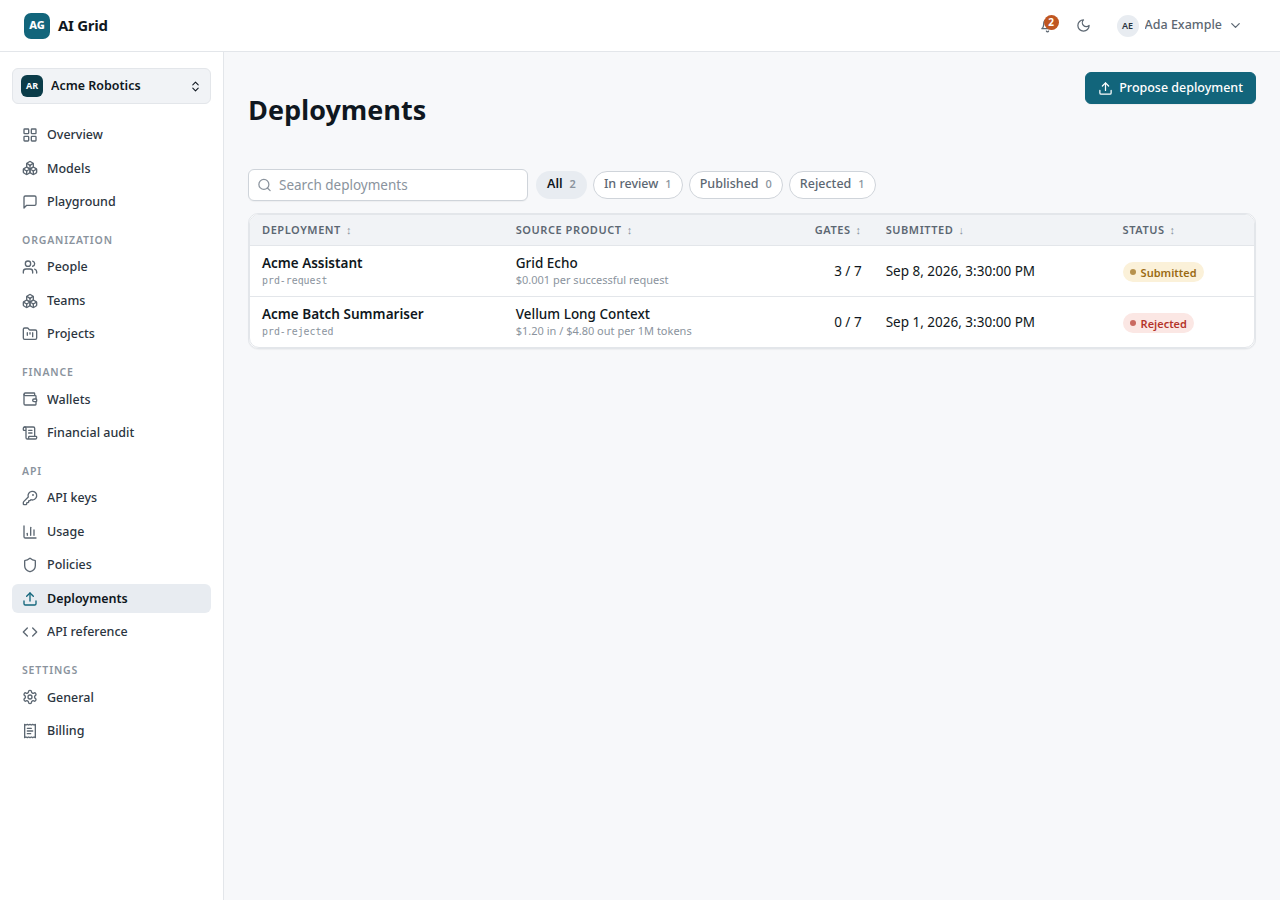
- Gates reads N/M approved while review is in progress, or Direct when the product was published by platform administration without the tenant review queue.
- Click a row to open the drawer: the facts, an Evidence card, the Review gates list and the Recorded events for the deployment.
Reviewers see a Your decision section in the drawer — an Approved / Rejected segmented control with a required reason.
What the outcomes mean#
- In review — gates are being worked through in order; each gate records Approved or Rejected with a reason.
- Published — the final approval published an immutable version. It is now discoverable in the catalogue and assignable to projects at its frozen price.
- Rejected — terminal for this submission. Rejection records the reason; a correction requires a new submission (a fresh Propose deployment), not a re-edit.
Suspension of a published deployment is a platform-side action; suspended products stop answering new calls immediately.
After publication#
A published deployment still is not callable until an Owner or Administrator assigns that exact version to a project — see Browsing the model catalogue. Members then call it with a project-bound API key from the Playground or their own code.
The deployment record's Runtime wallet tab shows the funded balance backing its own calls, separate from any project budget — see Wallets and audit.