Open Organization → Projects (in a personal workspace: Workspace → Projects). The project is the unit that owns models, keys, usage and a wallet.
The project list#
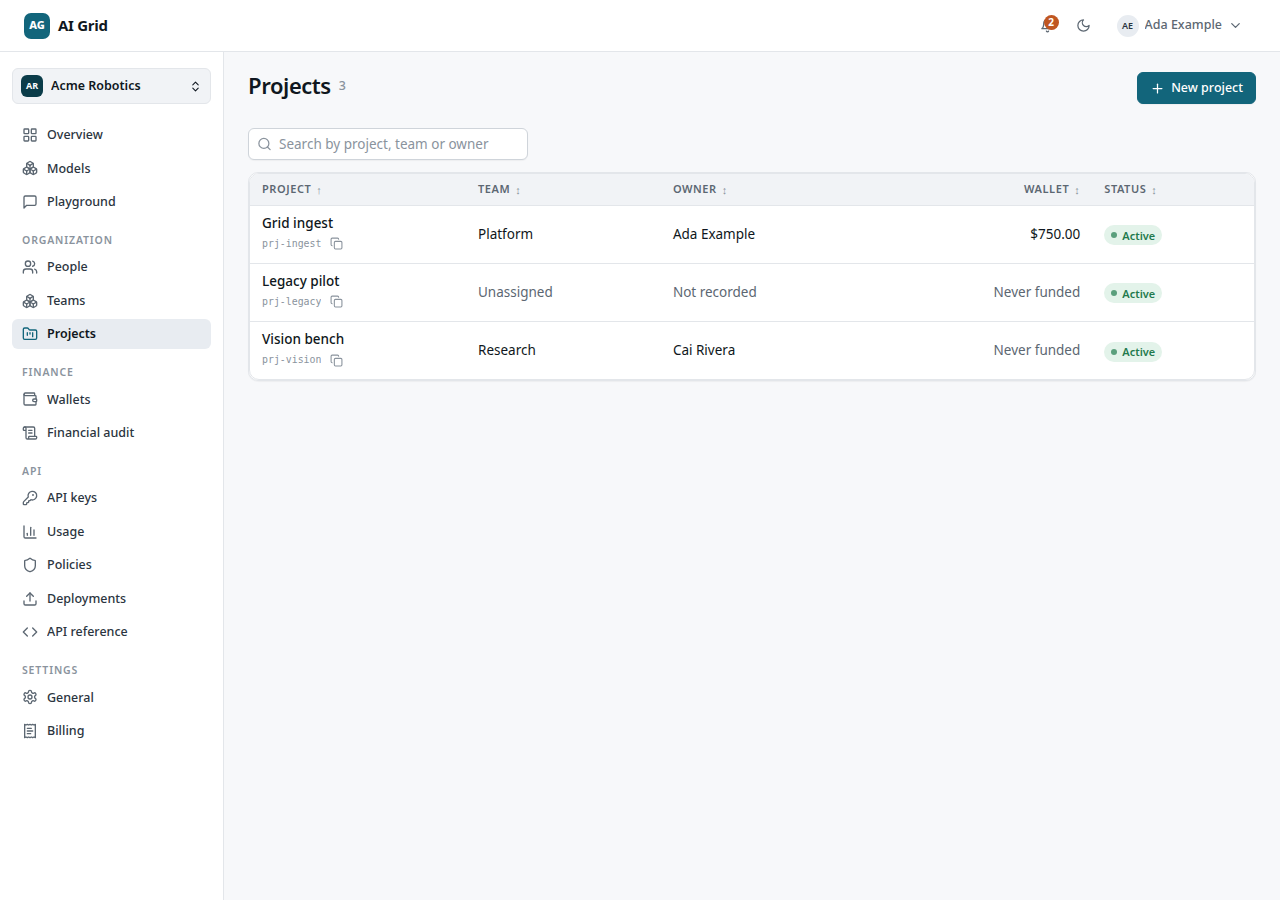
The table shows Project, Team, Owner, Wallet (Never funded until its first top-up) and Status. The header's New project appears when the server allows you to create one — team owners and organization administrators. If you cannot create, the empty state explains: A team owner or an organization administrator creates the first project.
Create a project#
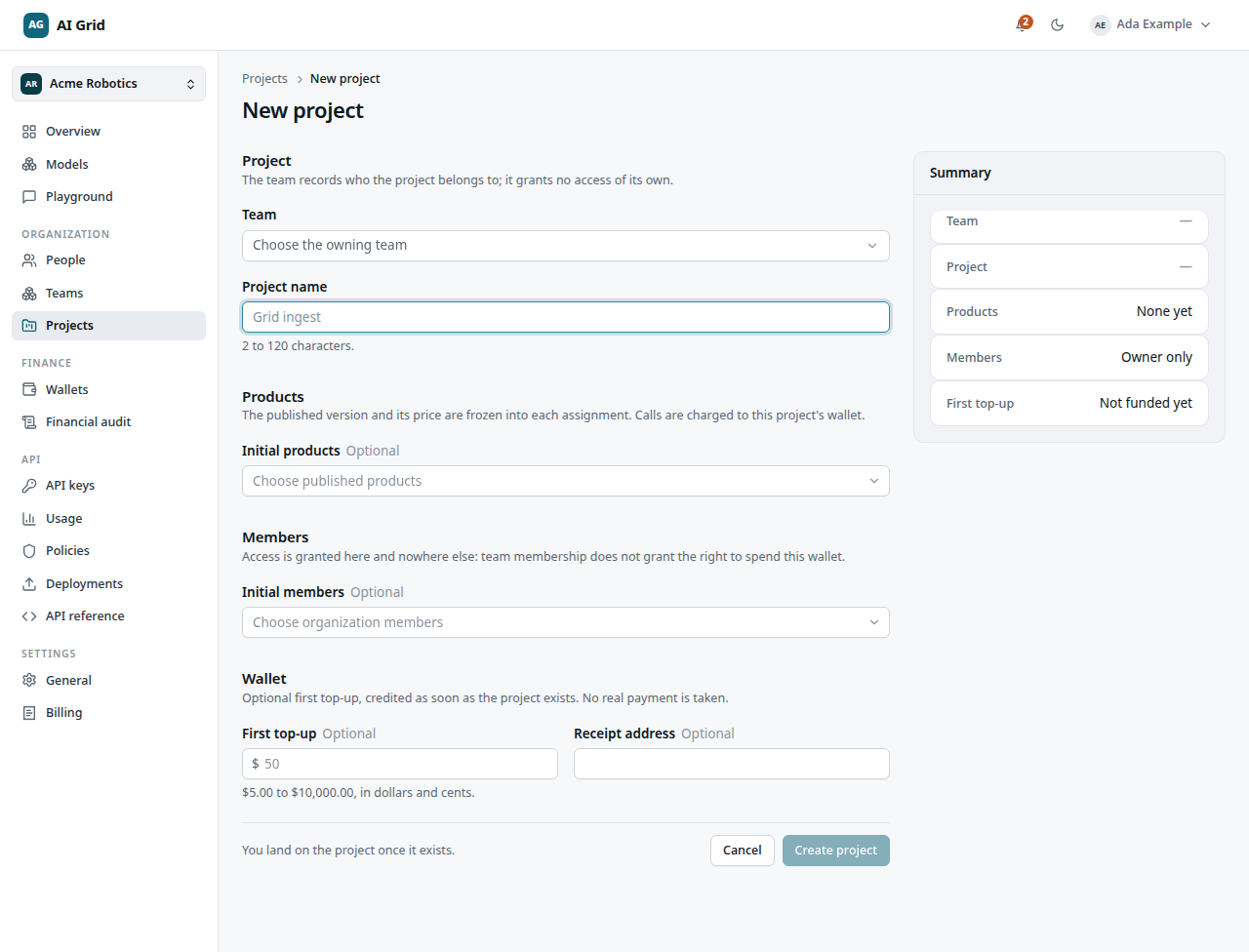
Open Organization → Projects → New project. The form:
- Team — the owning team.
- Project name.
- Products — initial product assignments, each accepted at a frozen price (Owners/Administrators).
- Members — people to onboard with project rights (Owners/Administrators).
- Wallet — an optional first top-up, available when you can fund the wallet. Choose a Bill to billing record; add one in Settings → Billing first if none exists. This form does not ask for a receipt address. The top-up credits test funds when the project is created; no real payment is taken.
A summary card recaps the choices. Click Create project.
A project's record#
Open Organization → Projects → a project's row. The header has Open playground (lands in the Playground with this project preselected) and Edit name, plus a menu with Unassign from team (with a warning) and Remove project (danger zone — the wallet and history are retained). Six tabs:
Products#
Every product callable from this project, with Product, Version vN, Price and Status (Callable / Not callable). Use Assign product to add one — the drawer freezes the exact version and price you accept, and the project's members can call it at that published rate from its wallet. A row's Unassign removes it: new calls are refused immediately.
In a personal workspace there is no assignment step — everything published is callable from the managed project.
Members#
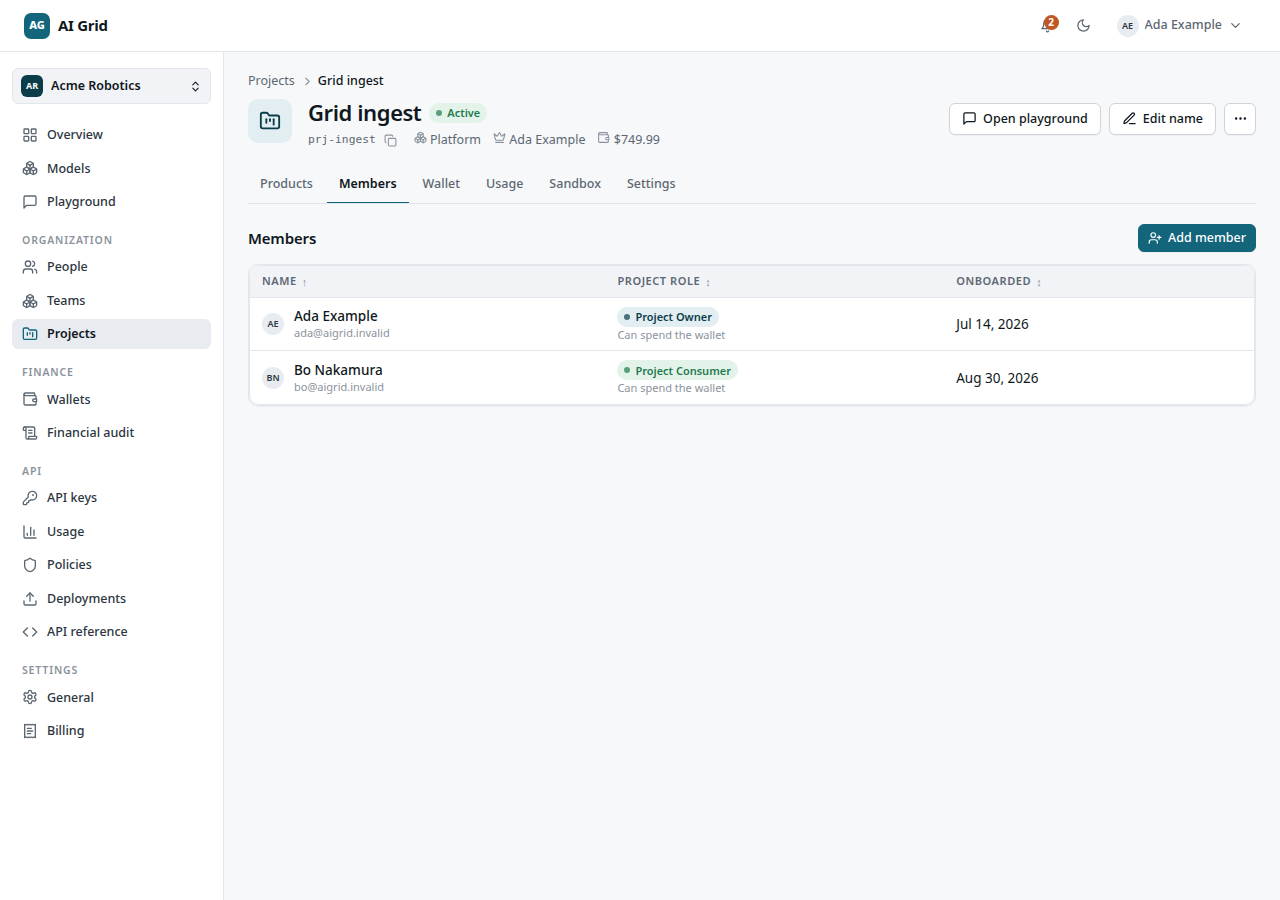
Project access is explicit: Team membership or ownership alone grants no project rights. The empty state says so plainly.
- Add member — multi-select of organization members plus a required reason (at least 3 characters).
- Each row shows a badge: Can spend the wallet or No consumption right, and a menu with Remove access (a required reason is recorded). Their next call is refused even if a key of theirs is still valid.
Wallet#
Stats — Available, Funded, Held — plus any pending top-up banner with Cancel request and Confirm and add $X. The Activity table lists Date, Activity, Amount, By and Reference. Use Add funds to request a top-up. See Wallets and audit.
Usage#
Every call in this project, server-paged: status, model, charge and timing. Depending on your entitlement you see Your calls in this project or Every call in this project.
Sandbox#
The configuration-driven composer for private sandbox products — a sandbox product never reaches a catalogue. Authored, saved and activated from the full-screen studio.
Settings#
Rename the project; the danger zone repeats Unassign from team and Remove project. The lifecycle section shows the current state and the transitions allowed from it — Suspend stops sandbox runs, product calls, top-ups and assignments immediately with no charge, and Reactivate restores spending from the next call.
Project roles#
| Role | Can |
|---|---|
| Project Owner | Manage products, members and the wallet |
| Consumer | Call assigned products — spend the wallet |
| Viewer | Watch usage and state; no calls, no spend |